Plan an NBA offseason like a front office.
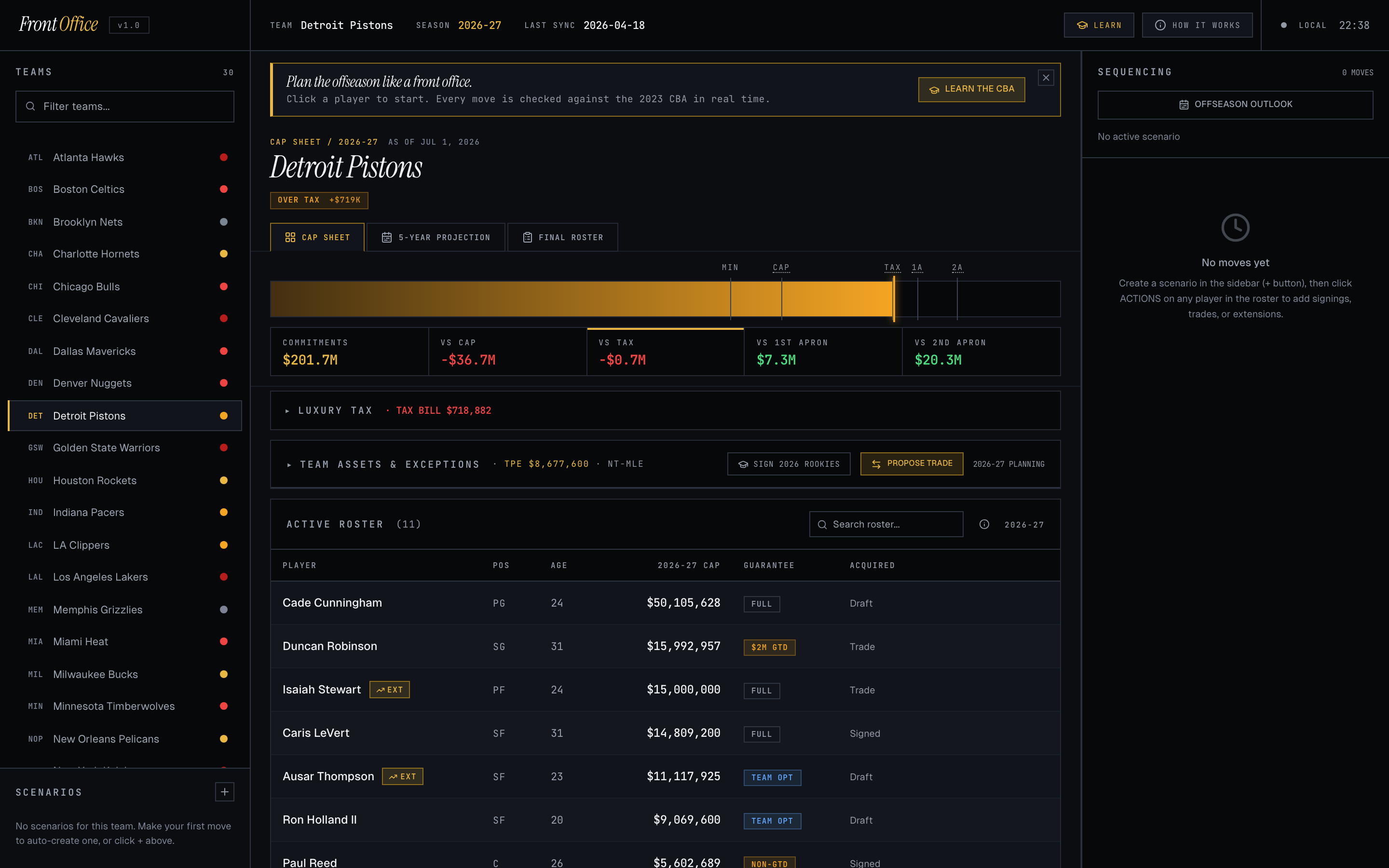
Front Office is a planner for the NBA salary cap. Pick a team, run through their offseason as if you were the GM — re-sign your stars, chase free agents, propose trades, draft rookies — and watch every move check against the actual 2023 Collective Bargaining Agreement in real time. If a move you want to make is illegal, the tool tells you why. If you go a dollar over the second apron, the tool shows you what tools you just lost.
It's the spreadsheet half of being a GM, made playable. Built for NBA fans who want to argue about offseason moves with receipts, and for beat writers and analysts who want to model a scenario without doing the cap math by hand.
On mobile
· bottom-tab shellOn phones (≤720px) the desktop 3-column layout becomes a bottom-tab shell with the same data and the same engine underneath. The pieces map like this:
- Team / Scenario picker
- The sticky context bar under the top bar shows the active team and scenario. Tap either cell to switch.
- Bottom tabs
- CAP (sheet, roster, holds, dead money) · TIMELINE (move sequence + share/export) · TRADE (Trade Floor wizard) · PICKS (draft pick management) · MORE (Scenarios, Learn, About).
- Roster cards
- Each player is a card with a name, age, position, and the metric you've selected (CAP HIT, '28, '29, '30, '31 — flip with the segmented switcher above the roster). Tap a card to open its action sheet.
- Trade Floor
- A single-screen rebuild of the desktop Trade Modal — no wizard steps. See both teams' rosters at once, tap to add/remove, add a third team with + ADD TEAM, set custom execution date inline, swipe to execute.
- Command sheet
- Tap the search icon in the top bar to open a full-screen search across players, teams, scenarios, and actions — Bloomberg-terminal equivalent for the thumb.
- Editable dates
- In the Timeline tab, every move's date chip is tappable — opens a bottom-sheet date picker that re-slots the move chronologically.
Quick start
· four stepsNew here? Replay the guided walkthrough for a 60-second tour of the whole app.
- 01Pick a teamOn desktop, tap TEAMS in the top-left. On mobile, tap the TEAM cell at the top to open the team picker. Either way you get all 30 franchises; the cap sheet loads with their current roster, contracts, and cap state.
- 02Tap a player to start a moveOn desktop, hover any row to reveal the ACTIONS menu. On mobile, tap a player card to open its action sheet. Either surfaces the same options — re-sign, waive, extend, propose a trade, decline option. Free agents and cap holds get their own section below the roster. Each action opens a wizard where you build the contract; the cap recalculates as you adjust.
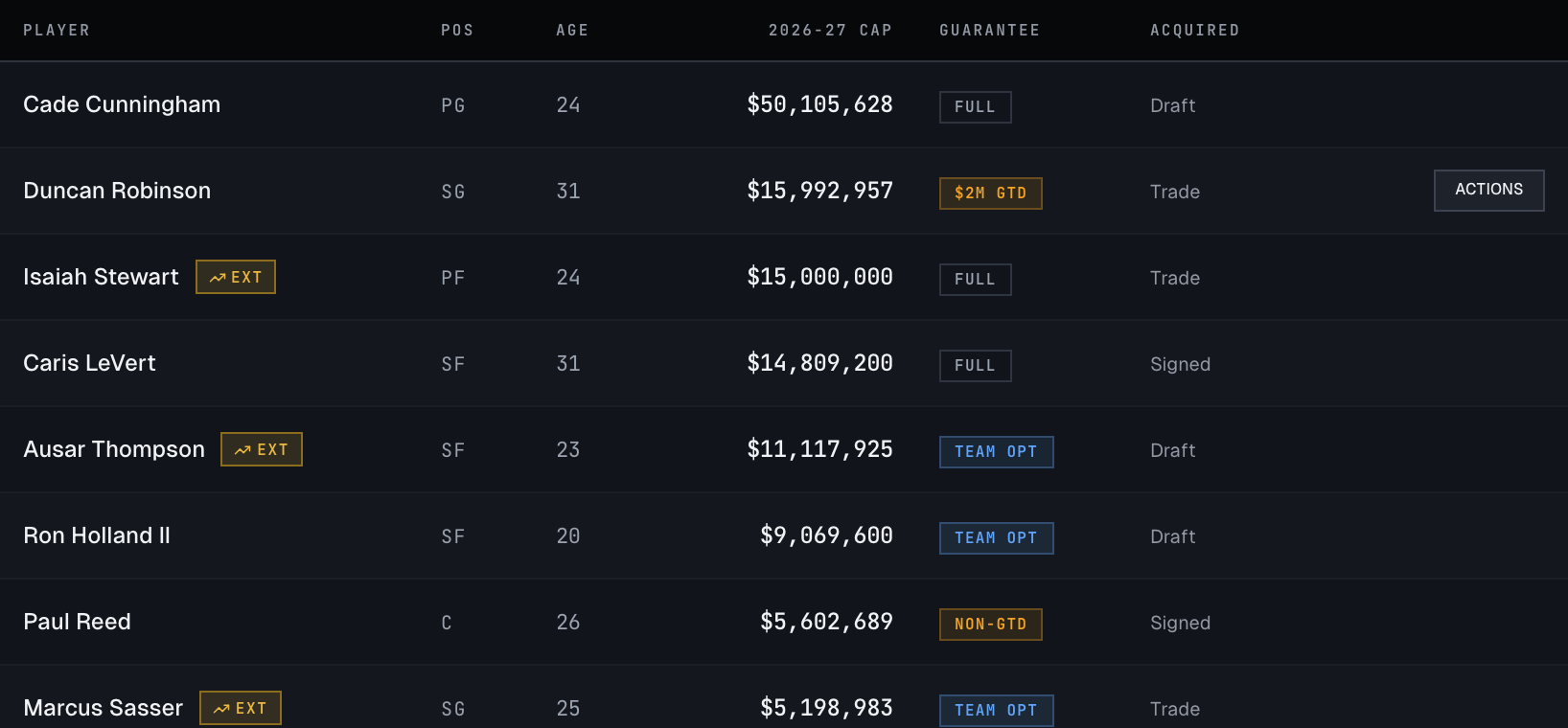
Desktop: hover any roster row to surface its ACTIONS menu. Mobile: tap the player card to open the action sheet. - 03Watch the meterThe horizontal bar at the top is your cap meter. The five ticks are the cap, tax, first apron, second apron, and minimum. The colored fill shows where the team currently sits. Red means you've crossed a line; green means you're under it. The tiles below scroll horizontally on mobile to fit COMMITMENTS, VS CAP, VS TAX, VS 1A, and VS 2A.
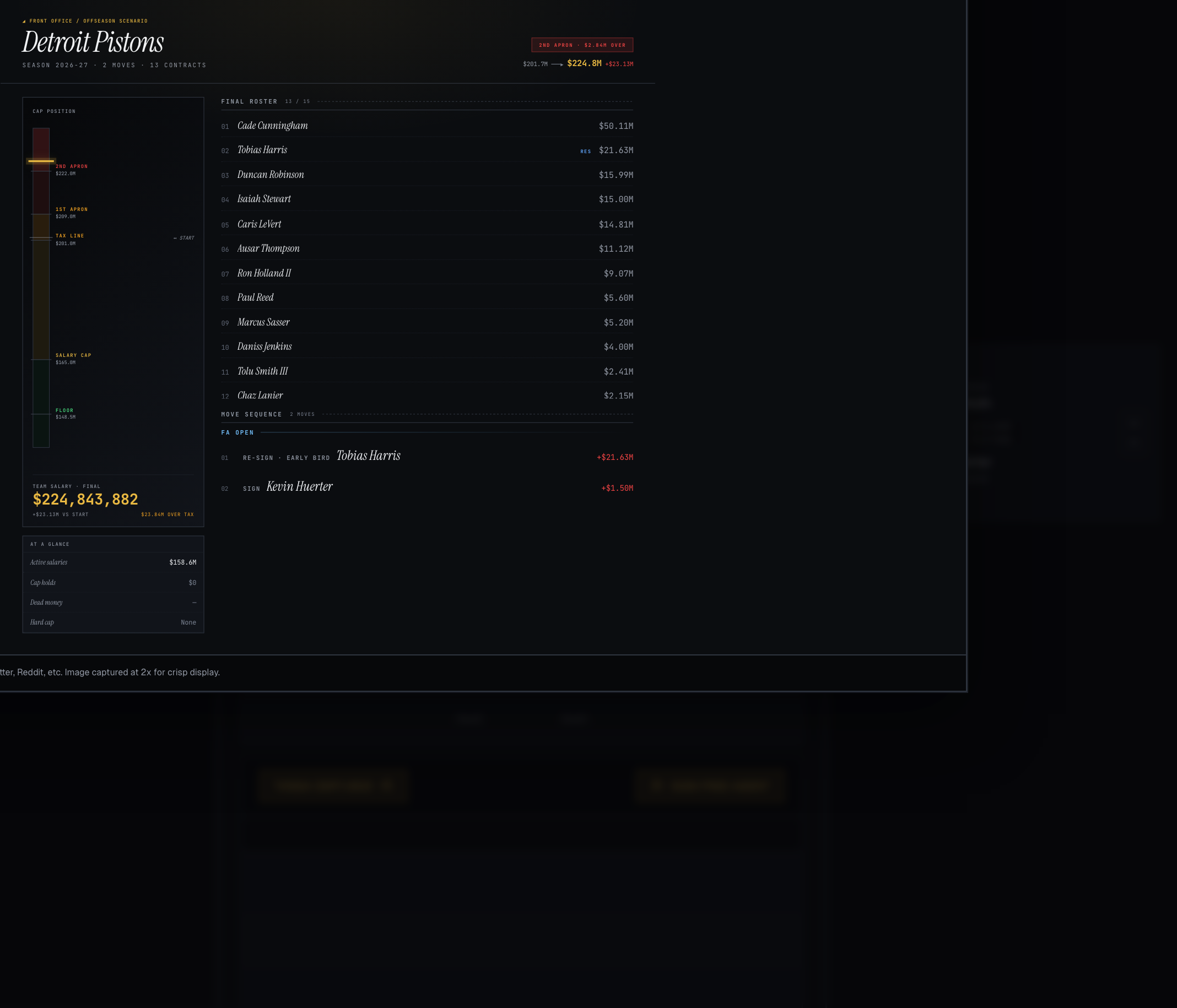
- 04Share the scenarioOpen the SEQUENCING rail (top-right on desktop) or the TIMELINE tab (bottom nav on mobile) and tap SHARE SCENARIO — the button appears once you’ve added at least one move. Pick IMAGE to export a square 1080² PNG card — your team, final cap state, and the move sequence — or LINK to copy a short link that opens the exact scenario in someone else’s browser. Drop either in iMessage or post it on Twitter.
Reading the cap state
· the meter + the tiles
The cap meter and the five tiles directly below it (COMMITMENTS · VS CAP · VS TAX · VS 1ST APRON · VS 2ND APRON) are the heads-up display. Read them left to right:
- Commitments
- Total dollars on the books for the season — guaranteed contracts, cap holds, dead money, and any moves you've made in this scenario.
- VS CAP
- Distance to the salary cap ($165M for 2026-27). Positive green = cap space you can spend directly. Negative red = over the cap, which means you need an exception (Bird, MLE, BAE, etc.) to add salary.
- VS TAX
- Distance to the luxury tax line ($201M). Above it, every dollar costs additional dollars in tax.
- VS 1ST APRON
- Distance to the first apron ($209M). Above it, you lose access to the full mid-level exception, can't sign players waived during the season, and trades get harder.
- VS 2ND APRON
- Distance to the second apron ($222M). Above it, you can't aggregate salaries in trades, can't send out cash, can't use the taxpayer MLE, can't sign-and-trade for incoming players, and a future first-round pick gets frozen seven years out.
For the long version with worked examples, open the CBA Learning Game or the Glossary.
Making moves
· the four phases of an NBA offseason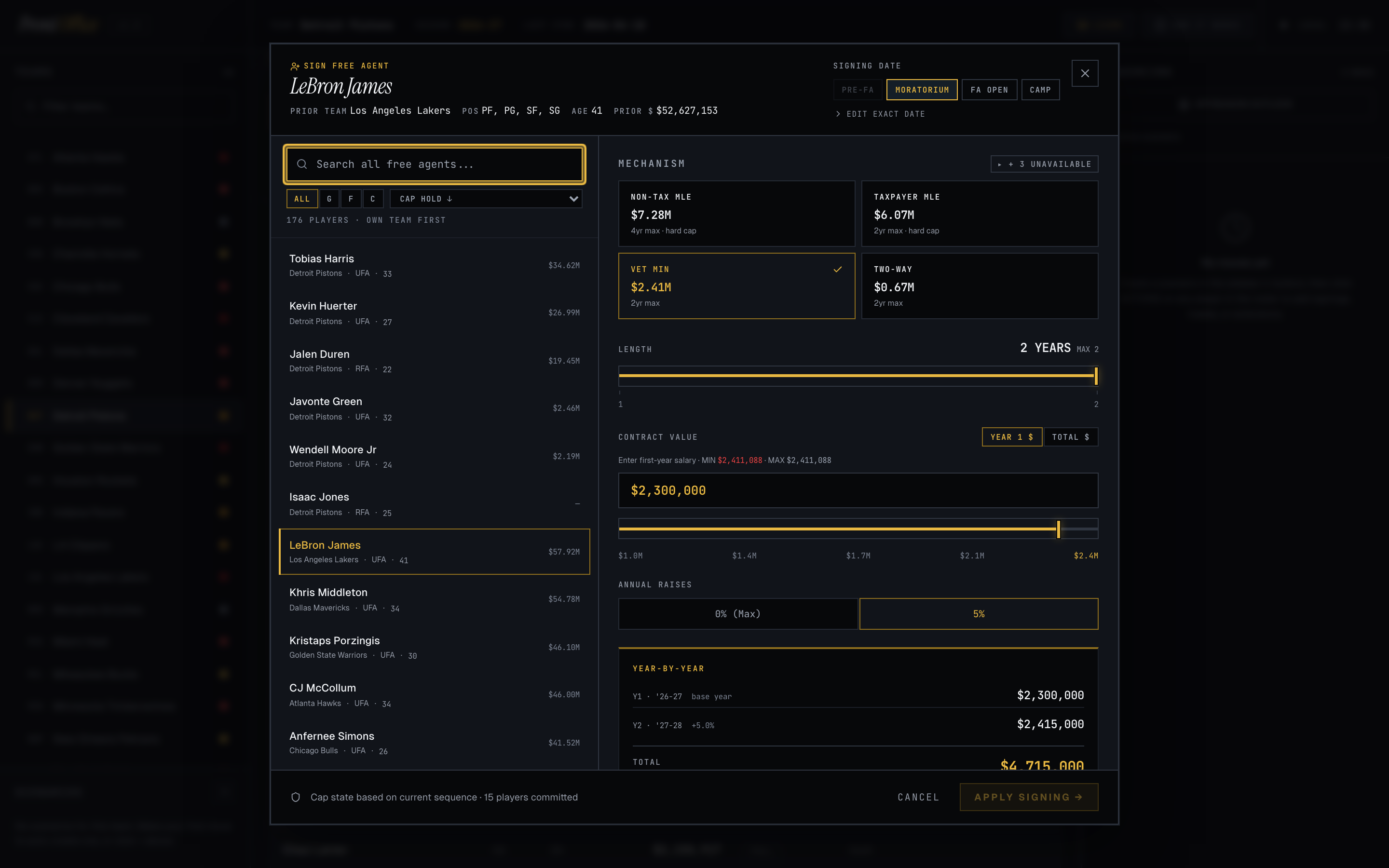
Every move belongs to a phase. The tool picks the right phase for you based on the date. To change a date: on desktop, use EDIT EXACT DATE inside the move's modal. On mobile, tap the EXECUTION DATE / SIGNING DATE row inside the wizard, or tap any move's date chip in the TIMELINE tab to retroactively change it.
The Trade Machine
· build a deal, get a verdictPick PROPOSE TRADE from any player’s actions and the Trade Machine opens with your team on one side and a trade partner on the other. Tap players and draft picks to move them across; the salary totals and a running LEGAL / ILLEGAL verdict update with every change.
- 2-, 3- & 4-team
- Start with two teams, then hit + ADD TEAM to pull a third or fourth franchise into the deal. Each leg gets its own color and an OURS / PARTNER / TEAM 3 / TEAM 4 tag so you never lose track of who’s sending what.
- Salary matching
- Over-the-cap teams have to send out enough salary to take a player back. The Machine enforces the right tier automatically: 200% of outgoing + $250K for smaller deals, stepping to 125% and then 100% + $250K as the outgoing salary climbs — tighter once you’re over an apron.
- Trade exceptions
- If your team owns a Traded Player Exception (a credit left over from a past trade where you sent out more than you took back), the Machine lets you spend it to absorb an incoming player without matching salary at all. Expired or already-spent TPEs are grayed out with the reason.
- Sign-and-trade
- You can sign one of your own free agents and trade him in the same move. The Machine enforces the real rules — only the player’s last team can do it, the contract has to run 3–4 years, and the team receiving the player gets hard-capped at the first apron for the rest of the season.
- Hard caps
- Certain moves — a sign-and-trade, taking back more than the base match, using the non-taxpayer MLE — lock your team under a hard cap. The Machine flags it with a HARD CAP badge so you know the ceiling you just agreed to before you execute.
- Why & how to fix
- When a deal is ILLEGAL, the issues panel says exactly why in plain language — “over the second apron, so you can’t combine two players’ salaries,” “incoming salary exceeds the max you can take back” — and tells you how to fix it: trade them one at a time, take back less, or move the trade date into a window where the rule relaxes. Every reason cites the CBA section behind it.
Sequencing & the timeline
· order mattersAn offseason isn’t a pile of moves — it’s an ordered, dated sequence. Renounce a free agent to open cap room before you sign the next guy, and the order changes what’s legal. The SEQUENCING rail (desktop) / TIMELINE tab (mobile) is that sequence, grouped by the four phases.
- Drag to reorder
- Grab a move by its handle and drag it up or down. The cap engine re-runs from the top, so reordering can make a later move legal — or break it — and the timeline shows the new result instantly.
- Edit the exact date
- Tap any move’s date chip to set its precise execution or signing date. Moves re-slot into the right phase automatically, and dates that cross a CBA boundary (the trade deadline, Dec 15, Jan 15) get a heads-up.
- Multi-year projection
- The 5-YEAR PROJECTION view rolls every move forward and shows your cap sheet for the next five seasons — whose contracts expire, where future cap space opens up, and what your books look like after the dust settles.
Sharing scenarios
· links & image cards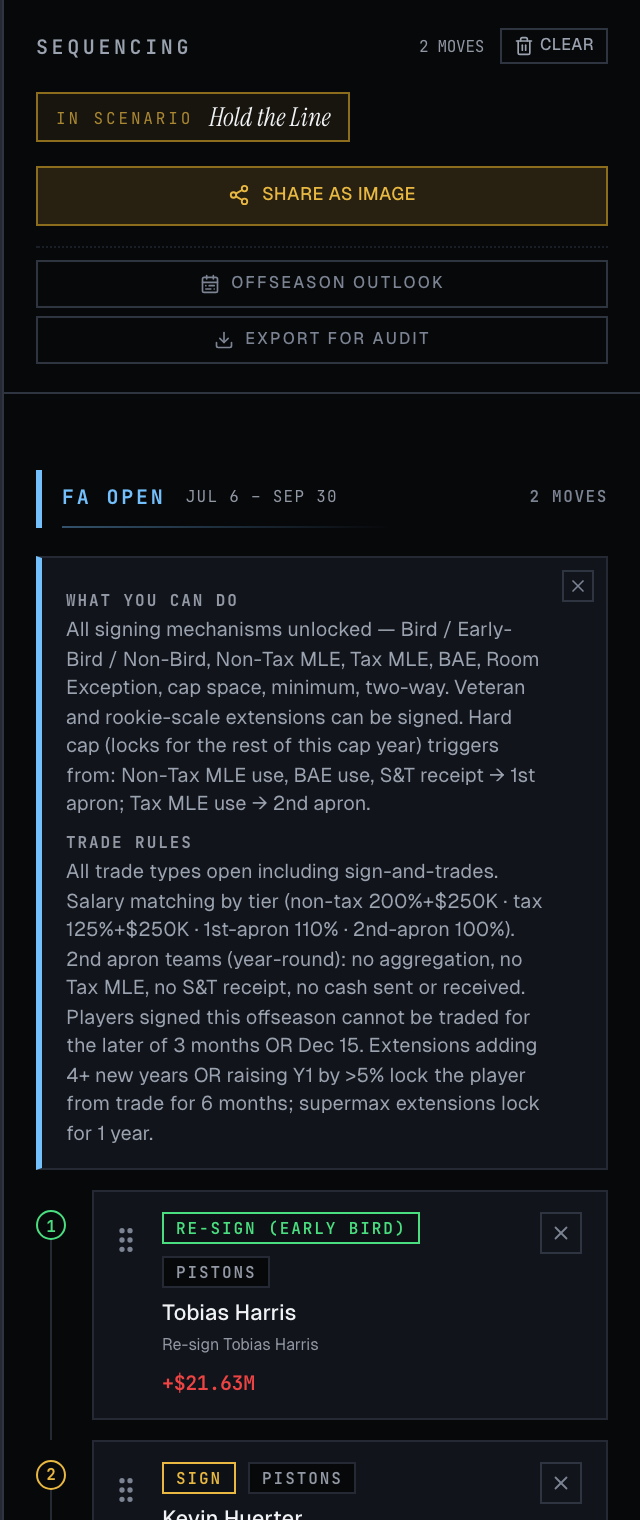
SHARE SCENARIO in the SEQUENCING rail (or the TIMELINE tab on mobile) opens one panel with two tabs — plus a separate OFFSEASON OUTLOOK snapshot:
- SHARE SCENARIO · LINK
- Copies a short link that loads the exact scenario in someone else's browser — no account, nothing tracked. Whoever opens it gets their own editable copy.
- SHARE SCENARIO · IMAGE
- A square 1080² PNG card of your scenario — team, final cap state, full move sequence, final 15-man roster. Copy it or save it; drop in iMessage, post to Twitter, paste in Slack. On iPhone the share sheet opens so you can save straight to Photos.
- OFFSEASON OUTLOOK
- A pre-moves snapshot card for setting the scene — who's under contract, who's a free agent, extension-eligibles. Also a 1080×1080 PNG.
Scenarios
· run it more than one wayEvery offseason you plan is a scenario. Open the team / scenario list and you can keep as many as you want side by side — the splashy “blow it up” rebuild, the run-it-back, the cap-space dream. They save automatically in your browser, so they’re still there when you come back.
- Save & duplicate
- Spin up a fresh scenario for the same team, or hit DUPLICATE on one you like to fork it and try a variation without losing the original. Rename them so you can tell them apart.
- Share & export
- Any scenario exports as the 1080×1080 SHARE AS IMAGE card, or the pre-moves OFFSEASON OUTLOOK snapshot, straight from the sequencing rail.
The FINAL ROSTER tab
· who's on the team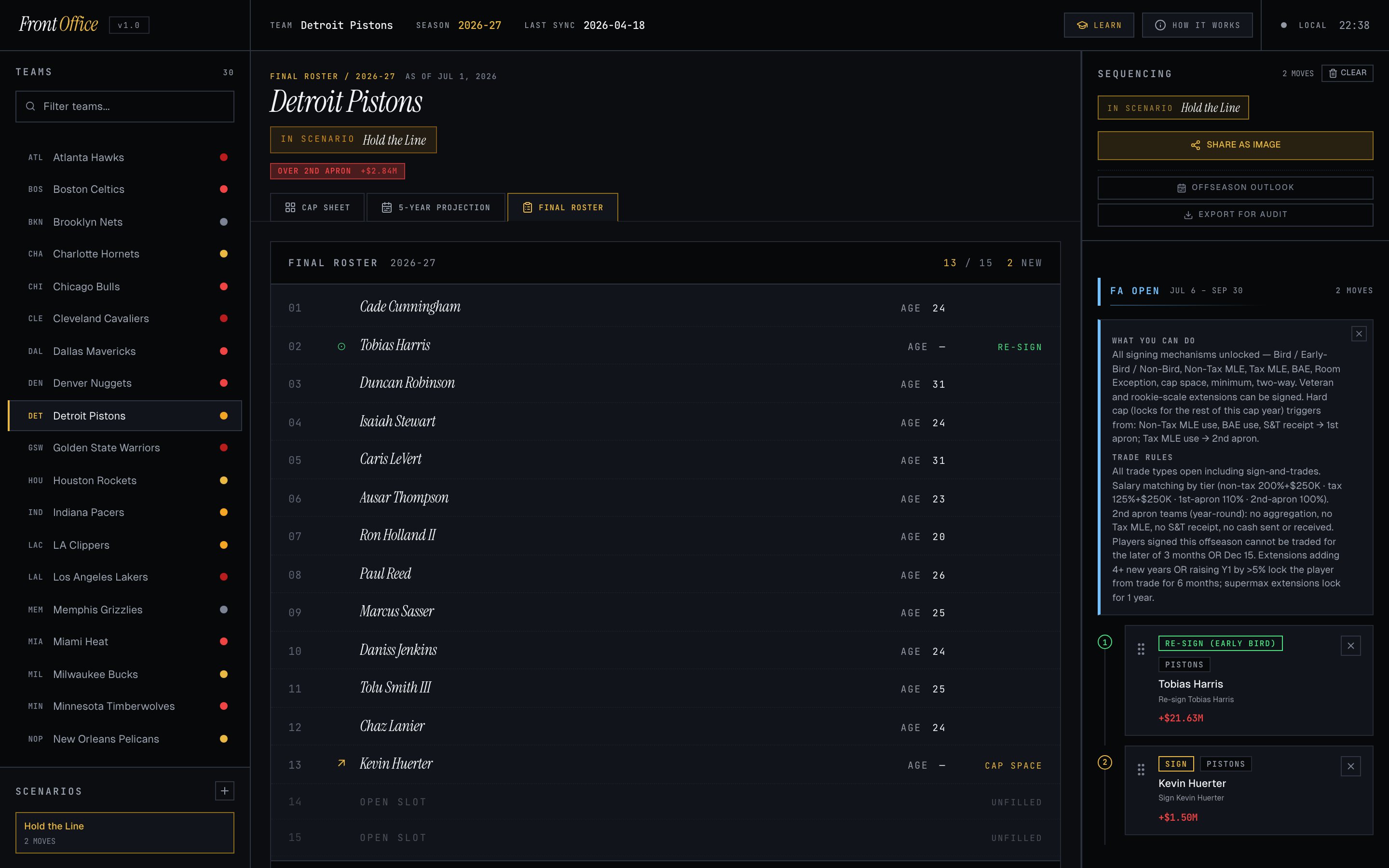
Companion to the CAP SHEET tab. Strips out the dollars and the wide table chrome so you can see who's actually on the team after your moves. Each row shows where the player came from (returning, re-sign, traded in, signed, drafted) so you can tell at a glance which slots your offseason changed.
Help is built into the words
· tap any dotted termYou don’t need to know the jargon going in. Anywhere a cap term appears with a dotted underline — Bird rights, a TPE, the second apron, a stretch waive — you can hover it (desktop) or tap it (mobile) for a plain-language definition. Each tooltip carries the exact 2023 CBA section it’s drawn from, so you’re reading the real rule, not a paraphrase. They’re scattered through the cap sheet, the Trade Machine, and the move chips — try one above.
The depth under the hood
· advanced mechanics it enforcesBeyond the basics, the engine models the corners of the CBA that actually decide real offseasons. A non-exhaustive list of what it checks:
- 2nd-apron limits
- Over the second apron you can’t combine players’ salaries in a trade, can’t send cash, lose the taxpayer MLE, can’t take in a sign-and-traded player, and a future first freezes seven years out.
- Stretch-and-waive
- Waive a player and spread his remaining guaranteed money across twice-the-years-plus-one to soften the cap hit — with the dead-money it leaves behind tracked on your books.
- RFA & the Arenas Rule
- Restricted free agency, qualifying offers, the match window, and the Arenas Rule ceilings on offer sheets to early-career restricted free agents.
- Trade restrictions
- No-trade clauses, the three-month / Dec-15 hold on newly-signed free agents, the recently-extended (“poison pill”) rule, and the trade deadline.
- Repeater tax
- The repeater penalty rates for teams that pay the luxury tax in most of the prior four seasons.
- Supermax / DVPE
- The Designated Veteran (supermax) eligibility tests — All-NBA, team-tenure, and the rules on who can sign one.
- Picks: Stepien & frozen
- The Stepien Rule (you can’t trade away first-rounders in consecutive future years) and the second-apron frozen-pick penalty — both enforced when you move picks in a trade.
What it's grounded in
· the 2023 CBAEvery move you make is validated against the 2023 Collective Bargaining Agreement. Hard-cap triggers, apron restrictions, trade aggregation rules, sign-and-trade legality, extension limits, repeater tax — all enforced. When something isn't allowed, the tool tells you which CBA article and section blocks it.
And if you want to understand the rules instead of just bumping into them, that’s what the Learn module is for — see below.
20 interactive lessons, one concept at a time — the cap line, holds, the tax, both aprons, Bird rights, every exception, salary matching, TPEs, the stretch provision, aggregation, sign-and-trades, qualifying offers, the Arenas Rule, trade restrictions, the Designated Veteran, and the repeater tax. Each lesson ends with a scenario puzzle you solve in the live cap engine, plus a searchable glossary of every term. It’s the place to go from “I can use this” to “I get this.”
Start learningPrivacy
· cookieless · no trackingFront Office uses privacy-friendly, cookieless analytics to understand how the site is used — a basic, aggregate measure of visits and features. There are no cookies, no cross-site or third-party trackers, and we don’t sell or share your data. “Do Not Track” and Global Privacy Control signals are honored.
Anything you build — scenarios, trades, and settings — stays in your own browser’s local storage and isn’t sent anywhere unless you choose to create a share link.